Sitting all day at a desk isn't ideal, and a sit-stand setup makes it easy to change position through the day. Whether you choose a full height-adjustable desk or a riser that sits on your existing desk, this standing desk buying guide explains the options and how to set one up comfortably.
Sit-stand desk or desktop riser?
| Option | How it works | Pros | Things to consider |
|---|---|---|---|
| Electric sit-stand desk | Motorised legs raise and lower the whole desk | Smooth, quick changes; memory presets | Higher cost; needs power |
| Manual crank desk | Handle winds the desk up and down | No power needed | Slower to adjust |
| Desktop riser | Platform sits on your existing desk and lifts up | Affordable; keeps your desk | Less workspace; adds height when seated |
If you already have a desk you like and limited budget, a riser is an easy first step. If you're setting up a new workspace, a full sit-stand desk is more flexible.
Our desks range includes Ergolux standing desks and sit-stand desk risers.
Height range
The most important spec is the height range. The desk should go low enough for you to sit with your elbows at about 90 degrees, and high enough for the same when standing.
- Seated: Desk surface roughly at elbow height when sitting with shoulders relaxed.
- Standing: Desk surface roughly at elbow height when standing in your usual shoes.
Taller and shorter users should check both ends of the range carefully. If two people share the desk, check it suits both.
Single vs dual motor
Electric desks have one or two motors.
- Single motor desks suit lighter setups and are usually more affordable.
- Dual motor desks often lift more weight, move more smoothly and handle larger desktops.
Check the stated load capacity covers your monitors, computer and accessories with room to spare.
Desktop size
| Desktop size | Suits |
|---|---|
| Around 100 to 120 cm wide | Laptop or single monitor |
| Around 140 cm wide | Dual monitors |
| Around 160 cm wide or more | Multiple monitors and paperwork |
A depth of around 60 to 80 cm gives enough distance between you and your monitor. Measure your space, including clearance behind the desk for cables as it rises.
Stability
Some wobble at full height is normal, but less is better. Look for:
- A sturdy frame with crossbars or wide feet.
- Adjustable levelling feet for uneven floors.
- Reviews or specs mentioning stability at standing height.
Features to consider
- Memory presets: Save your sitting and standing heights.
- Anti-collision: Stops the desk if it hits something.
- Drawers or shelves: Handy storage, but check they don't limit legroom.
- Cable management: Trays and clips keep cables tidy as the desk moves.
Setting up ergonomically
- Monitor height: Top of the screen at or slightly below eye level.
- Monitor distance: Around an arm's length away.
- Keyboard and mouse: At elbow height, with wrists straight.
- Feet: Flat on the floor when seated, or on a footrest.
- Standing: Weight balanced, knees soft, wear supportive shoes.
A monitor arm makes it easier to get the right height and frees up desk space. Our monitors range includes LG, Kogan and HP displays.
Ease into standing
Standing all day isn't the goal. Most people find alternating works best.
- Start with short standing periods and build up.
- Change positions regularly through the day.
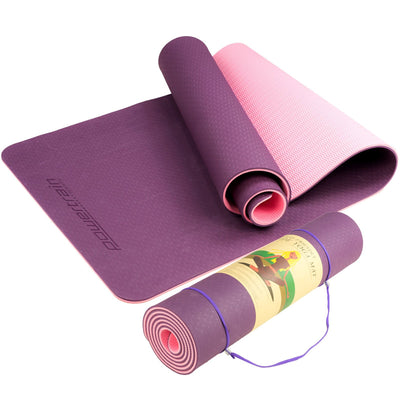
- Use an anti-fatigue mat for longer standing periods.
- Keep moving: stretch, walk during calls and take breaks.
Listen to your body, and talk to a health professional if you have back, joint or circulation concerns.
Don't forget the chair
You'll still sit for much of the day, so a good chair matters. Our office chair buying guide explains what to look for, and our office chairs include Eureka, Gorilla Gaming, SIHOO and Matt Blatt models.
Standing desks for small spaces
If space is tight, a compact desk around 100 to 120 cm wide, or a desktop riser on an existing table, can work well. Choose a light-coloured top and keep cables tidy to make a small corner feel less cluttered. Wall-mounted shelves above the desk free up surface space.
Accessories
- Monitor arms and laptop stands.
- Cable trays and clips.
- Anti-fatigue mats.
- Footrests.
- Desk organisers.
Browse our office furniture and office furniture accessories, including Kensington accessories. Every brand we stock is listed on our brands page.
Quick buying checklist
- Check the height range suits every user.
- Measure your space, including clearance behind.
- Choose a desktop size for your screens.
- Check the load capacity.
- Decide on electric or manual.
- Plan cable management.
Assembly tips
- Assemble near where the desk will go, as frames can be heavy.
- Get a second person to help flip the desk.
- Follow the cable routing instructions.
- Run the desk through its full range once assembled to check nothing catches.
For more home office tips, see our laptop buying guide and gaming monitor buying guide.
Related guides: Office Chair Buying Guide, Laptop Buying Guide, Gaming Monitor Buying Guide.
Frequently asked questions
Is a standing desk riser as good as a sit-stand desk?
A riser is an affordable way to try standing on your existing desk, but a full sit-stand desk usually gives more workspace and smoother adjustment.
What height should my standing desk be?
Set the desk so your elbows are at about 90 degrees with relaxed shoulders, both seated and standing.
How long should I stand each day?
Most people do best alternating between sitting and standing rather than standing all day. Start with short periods and build up.
Do I need a dual motor desk?
Dual motors often suit heavier setups and larger desktops. Check the load capacity against your equipment.